
01
Your bars, most urgent first
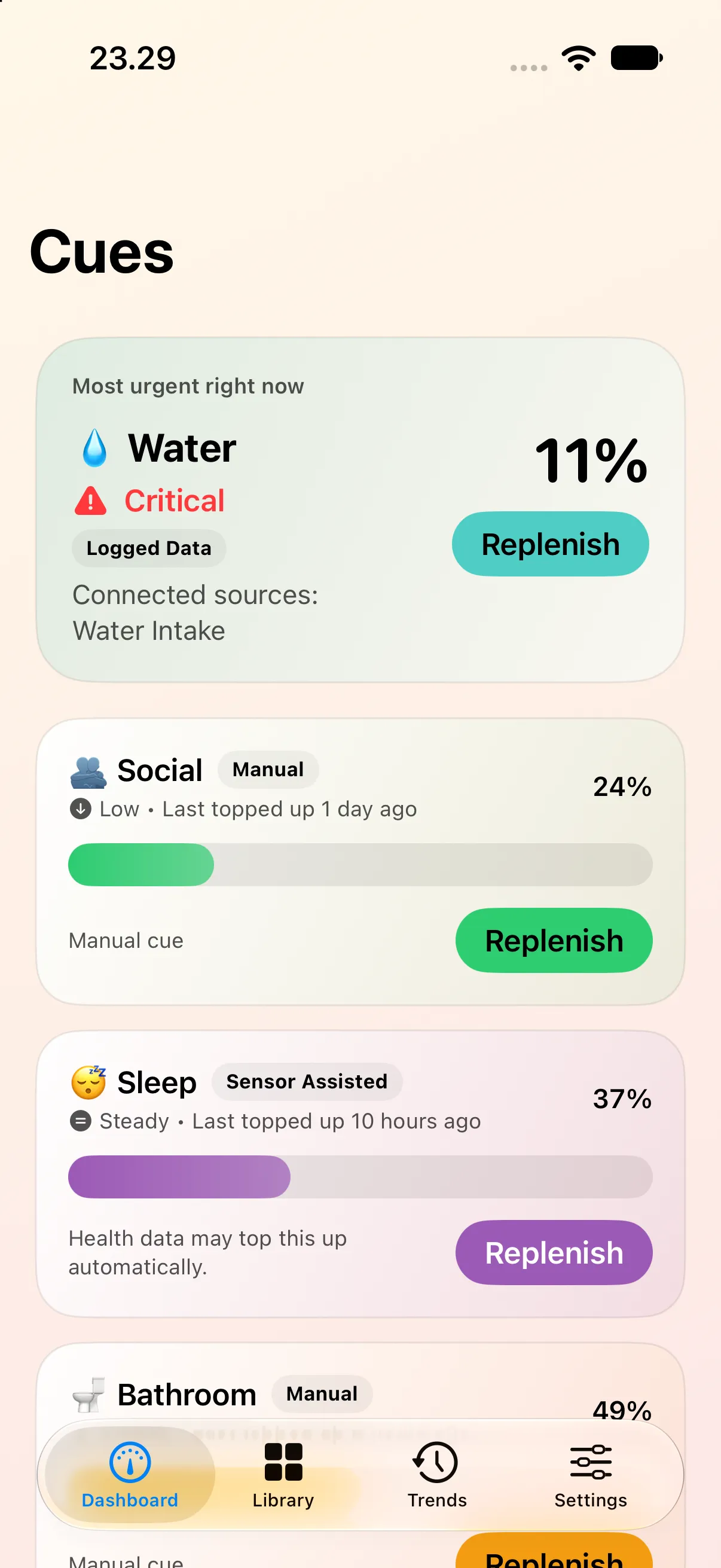
Each need drains at its own pace. Tap Replenish when you act on it, or let Apple Health top it up.

Cues: Water & Sleep Tracker
iPhone · iPad · Apple Watch · Free
Cues is a free self-care tracker for iPhone, iPad and Apple Watch that helps you remember water, food, sleep, movement and medication with bars that drain over time. Top them up when you act, without streaks or an account.
Free, with no subscription, no in-app purchases and no ads.
Inside the app
Each need drains at its own pace. Tap Replenish when you act on it, or let Apple Health top it up.
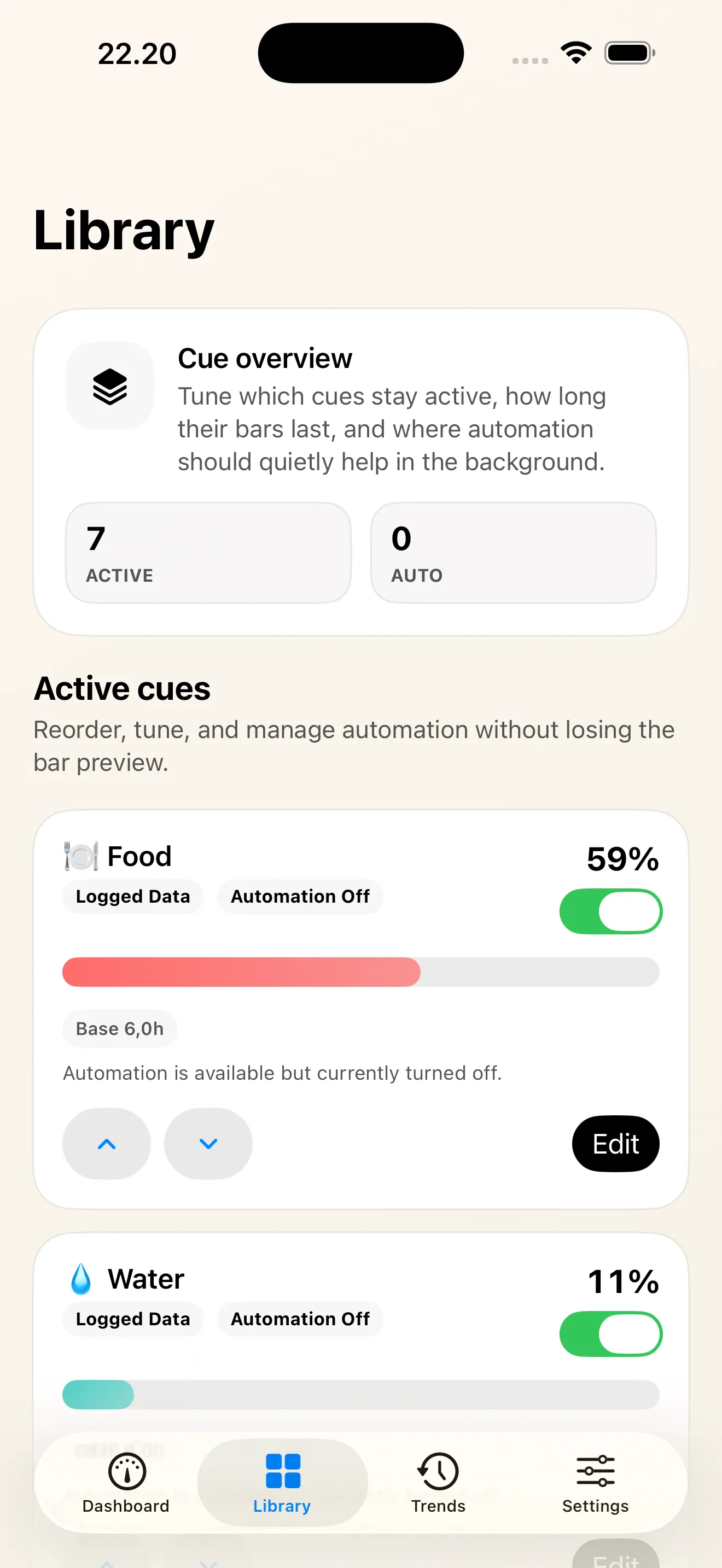
Seven defaults, eight presets and your own cues, each with its own drain time.
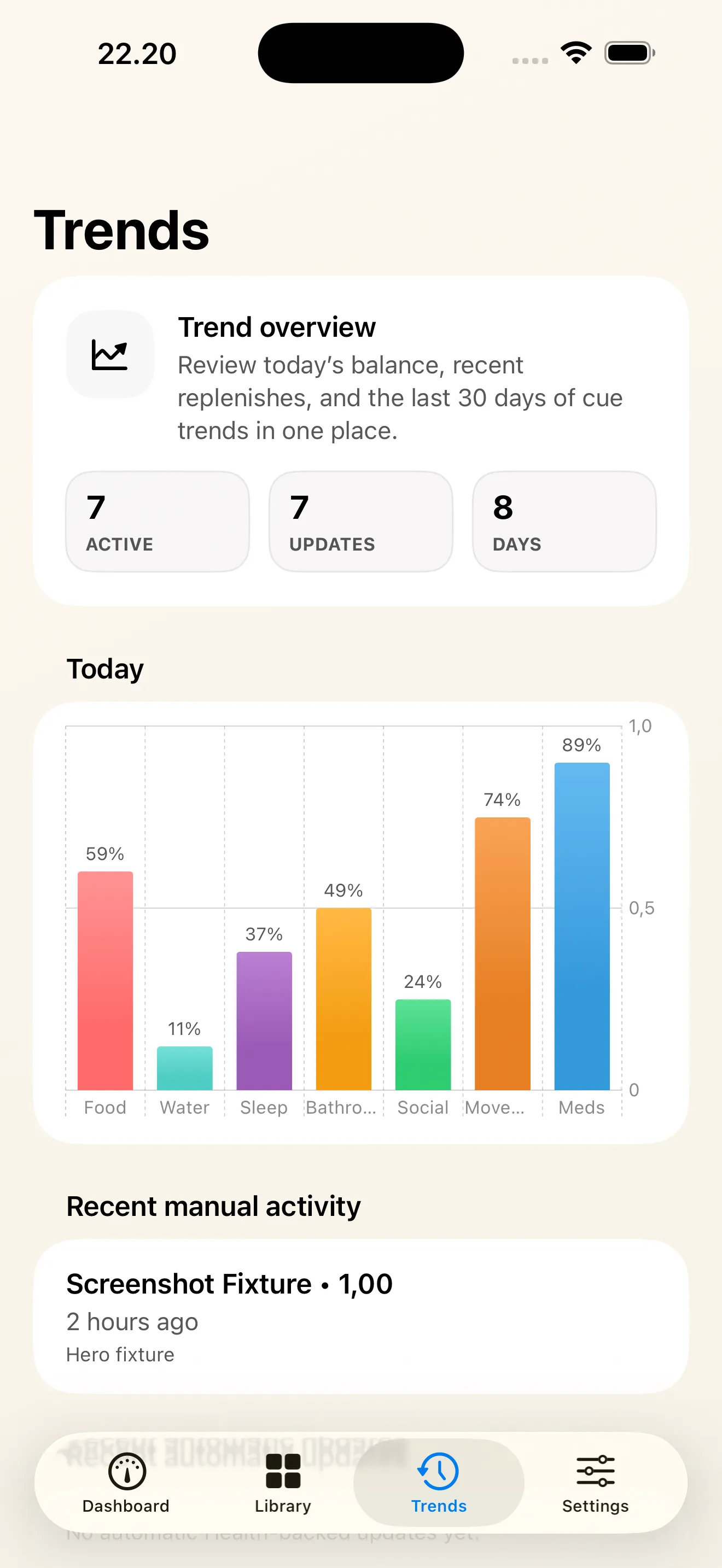
How each cue has gone today and over the last thirty days, without a streak to break.
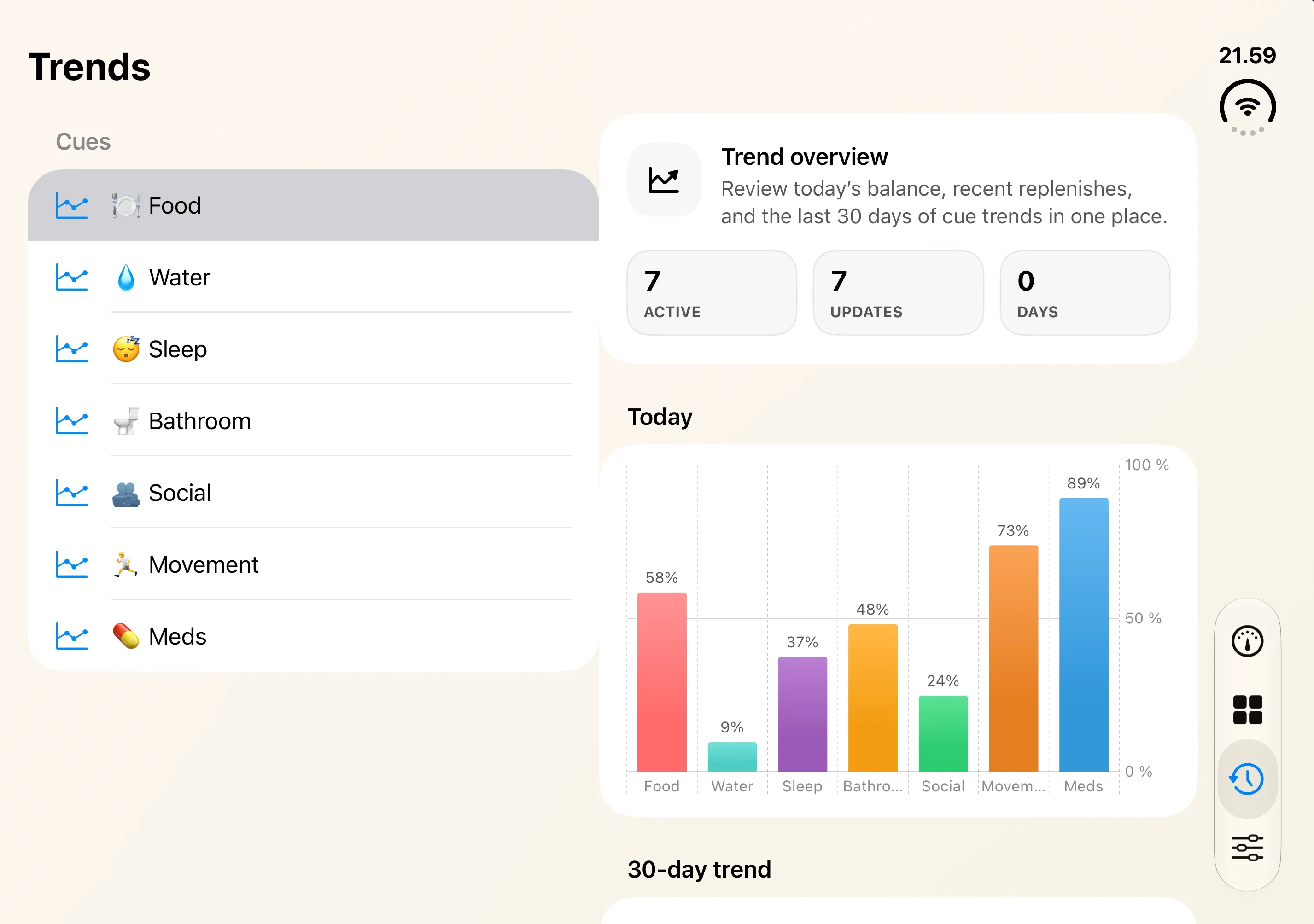
On iPad and an opened iPhone Duo, lists sit beside their charts and cue details open beside your bars.
More screens
Features
Cues is a free self-care tracker for iPhone, iPad and Apple Watch that helps you remember water, food, sleep, movement and medication: each need is a bar that drains over time, and you top it up when you act on it.
Water, food, sleep, movement, meds, bathroom, social — ready on first launch. Each bar drains at its own pace: water over about four hours, food over six. Top it up with a tap.
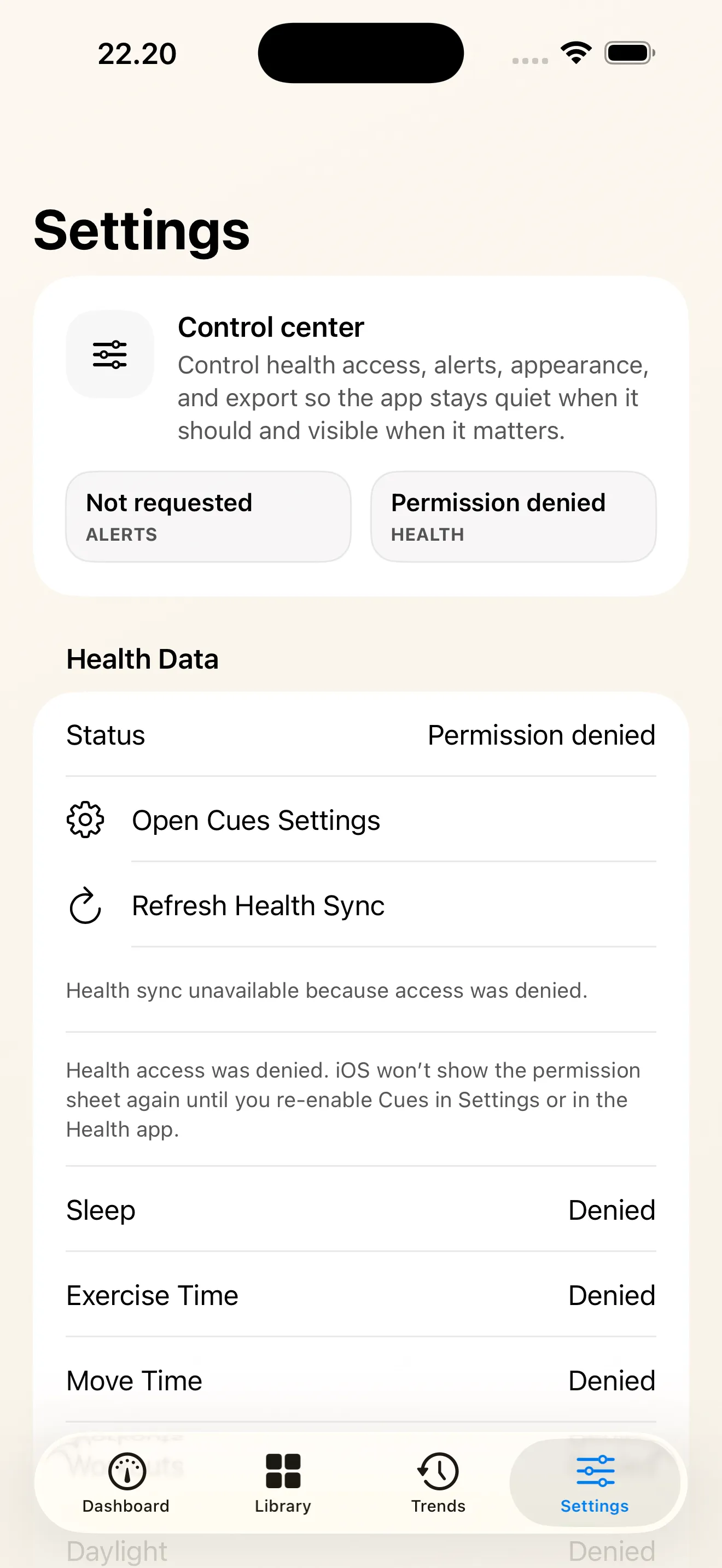
With your permission, Cues reads sleep, exercise, water and food from Apple Health, and daylight if you add the Sunlight cue, and tops up the matching bar. A glass of water logged in any Health-aware app counts. It keeps up with late, edited and deleted samples; new ones can take a few minutes to arrive.
When a cue drops to critical it surfaces on your Lock Screen and Dynamic Island with a “Did it” button — one tap to top it up without opening the app.
Ask Siri to “Log a cue in Cues” and say which one, use it in Shortcuts, or put a Cues button in Control Center (iOS 18 or later) where you'll actually reach it.
Glance at your wrist, see what's running low, top it up from the watch. Includes a watch-face complication for the most urgent cue, which also sits in the Smart Stack.
Home Screen widgets show your most urgent bars and fill the one you tap in place, without opening the app. The Lock Screen widget shows the cue that's running lowest.
On iPad, a sidebar, cards in columns and cue details beside your bars. On iPhone Duo, fold-aware layouts put details beside your bars, and an edit in progress survives closing the phone.
Drop in eight extra cues without designing them yourself: Sensory Break, Fresh Air, Mood Check, Screen Break, Temperature, Fun, Sunlight, Hygiene — all free.
Design your own bars with the name, emoji, colour and drain time that fit your life. Anything that needs remembering can be a cue; custom cues are free, and you top them up yourself.
No streaks to break. No shame. No guilt. Quiet hours by default, a hard cap on how many reminders can ever be queued, and fixed-time reminders — for meds — taking priority.
No login, no servers of ours, no telemetry, no ads, no tracking. Your bars and history stay on your device and its paired Apple Watch.
Questions
Cues is a free self-care tracker for iPhone, iPad and Apple Watch. Each basic need — water, food, sleep, movement, meds, bathroom, social — is a bar that drains over time, and you top it up when you act on it.
Cues focuses on time since you last met a need, without streaks. A bar that hit zero yesterday is simply a bar you can fill today.
They are reminders based on time and your logged actions or linked Apple Health data, not measurements of hydration, hunger or medication levels.
Busy people, parents, students, and anyone with ADHD or executive-function challenges who loses track of basic needs — eating, drinking water, standing up — until they're already running on empty.
Yes, if you allow it. Cues reads sleep, exercise, water and food from Apple Health, and daylight for the optional Sunlight cue, and tops the matching bar up by itself, so a glass of water logged in any Health-aware app counts in Cues too. Health delivers new samples in the background, so a top-up can take a few minutes.
Yes. The meds cue supports reminders at fixed times that fire even during quiet hours. Cues is a self-care tracker, not a medical device, so don't rely on it as your only safeguard for a dose that matters.
No. Cues works offline, with no account, no servers and no tracking. Your data stays on your device.
Yes — no subscription, no in-app purchases and no trial.
Yes. Cues is one app for iPhone and iPad: iPad gets a sidebar, cards in columns and details beside your bars, and on iPhone Duo fold-aware layouts put cue details beside your bars. There is no sync between devices, so an iPad keeps its own bars.
No. The Watch app and the widgets are optional; the iPhone or iPad app on its own is complete.
Something else? The support page covers setup and troubleshooting, or write to [email protected].
Guides
Privacy
No accounts, no servers, no telemetry. Cues keeps your bars and history on your device, shares them only with your paired Apple Watch, and reads and writes Apple Health locally, with your permission.
Read the privacy policy
Free on the App Store — the seven defaults and eight presets included.
Questions? [email protected]