

01
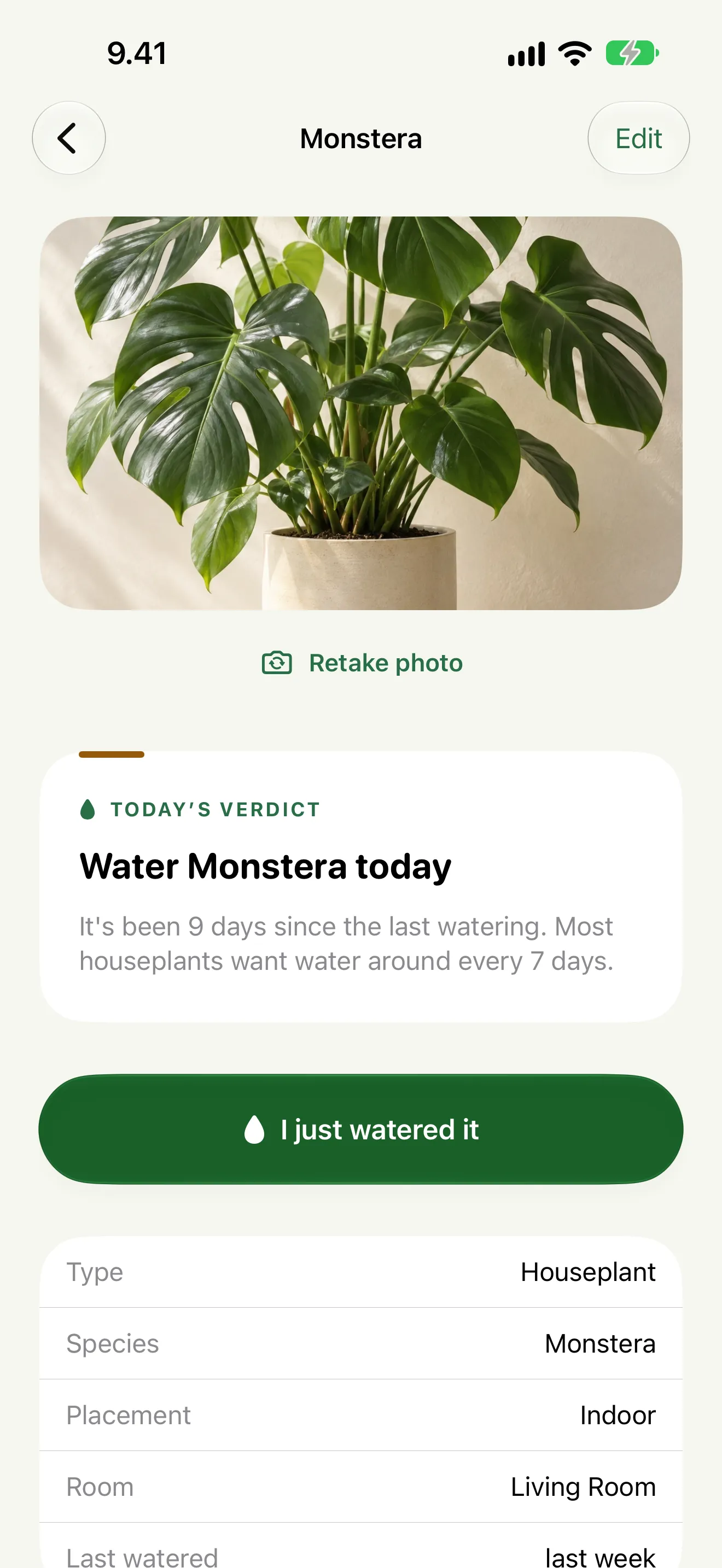
Water today, or skip
One clear answer per plant, with the reason behind it: when you last watered, and for outdoor plants, the chance of rain.

PlantCoach
iPhone · Free for five plants
PlantCoach gives one answer each morning for every plant, water today or skip, worked out by fixed rules from its care guide, when you last watered it and, outdoors, the forecast. Add a plant by photo or by name. No account, no ads, no tracking.
Free for up to five plants. PlantCoach Pro removes the limit: US$3.99 a month, US$29.99 a year with a 7-day trial for eligible new subscribers, or US$59.99 once.
Inside the app
One clear answer per plant, with the reason behind it: when you last watered, and for outdoor plants, the chance of rain.
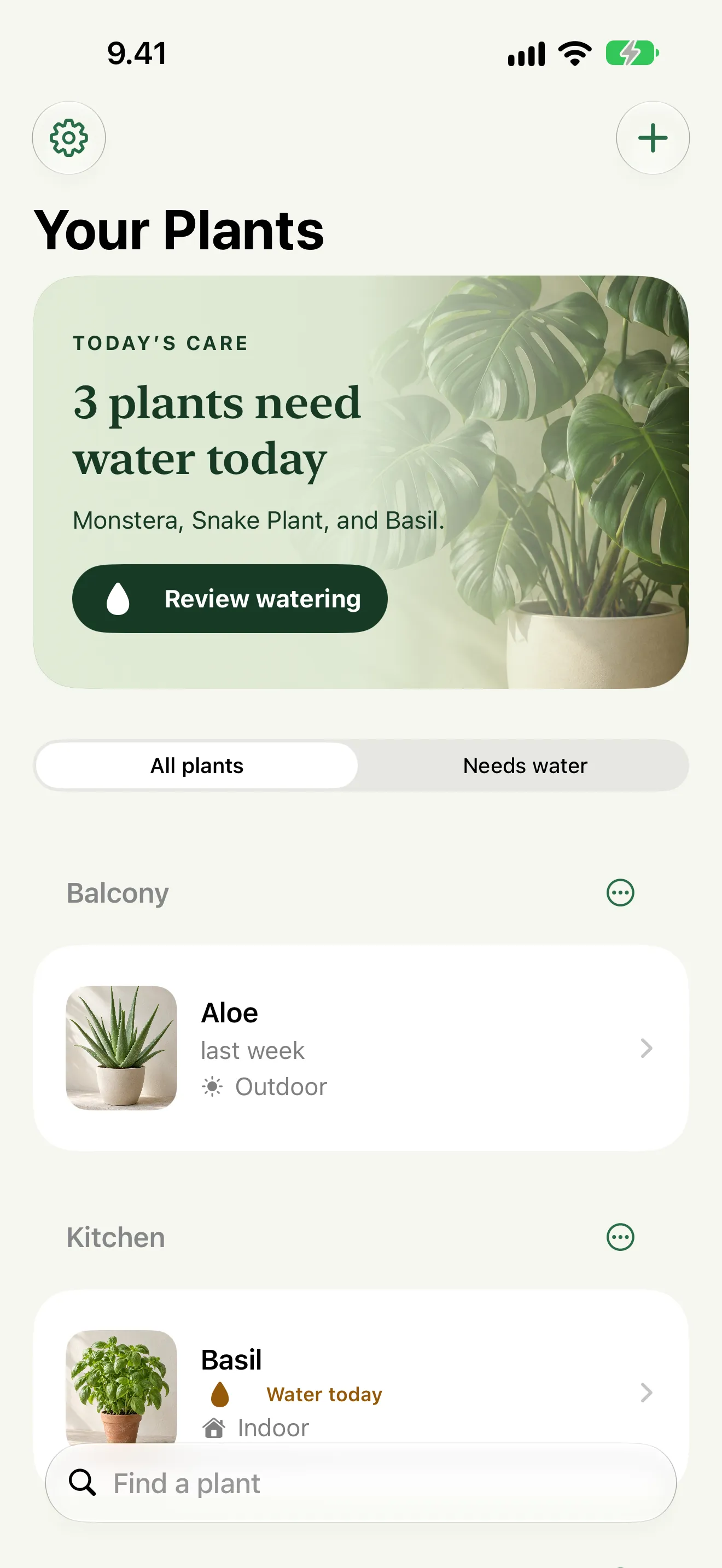
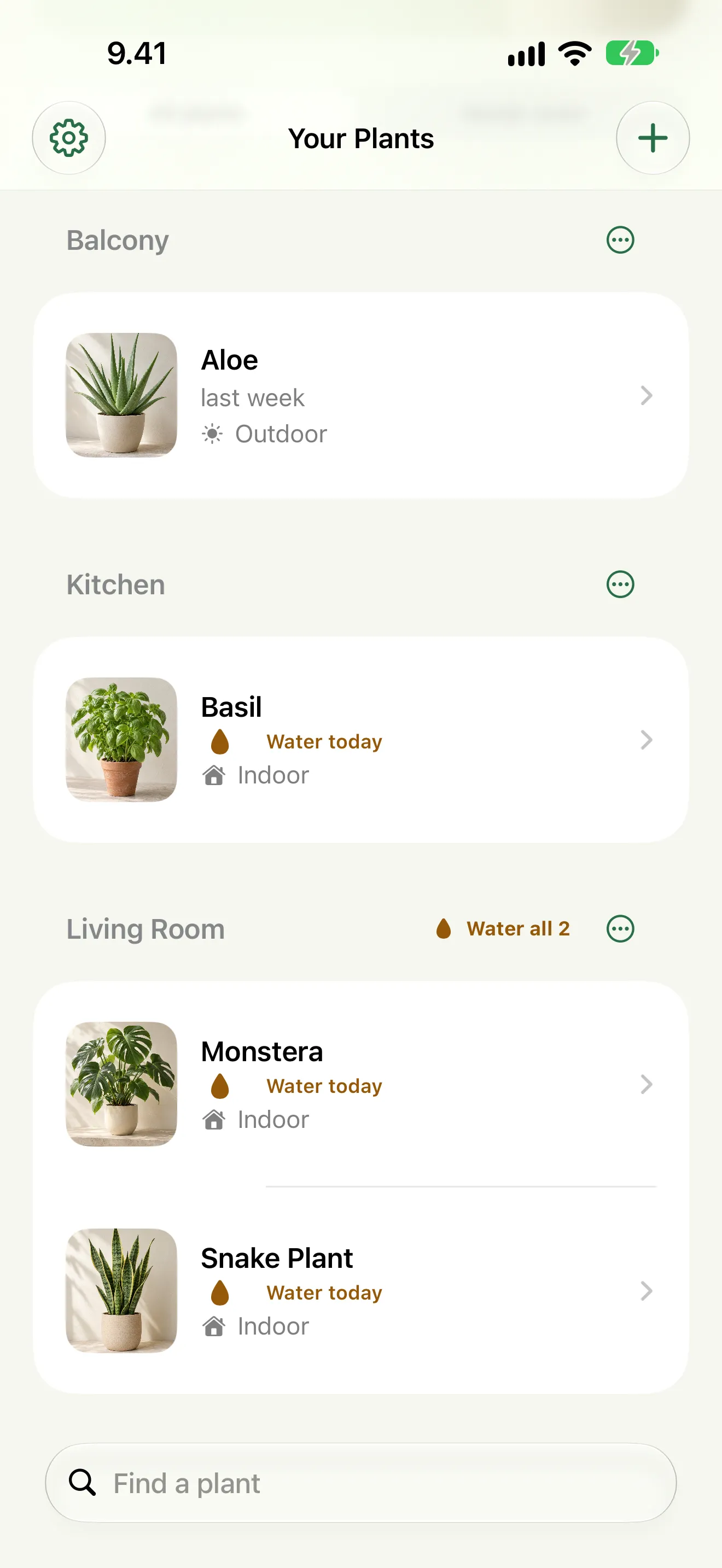
The plants that need water today at the top, the rest sectioned by room.
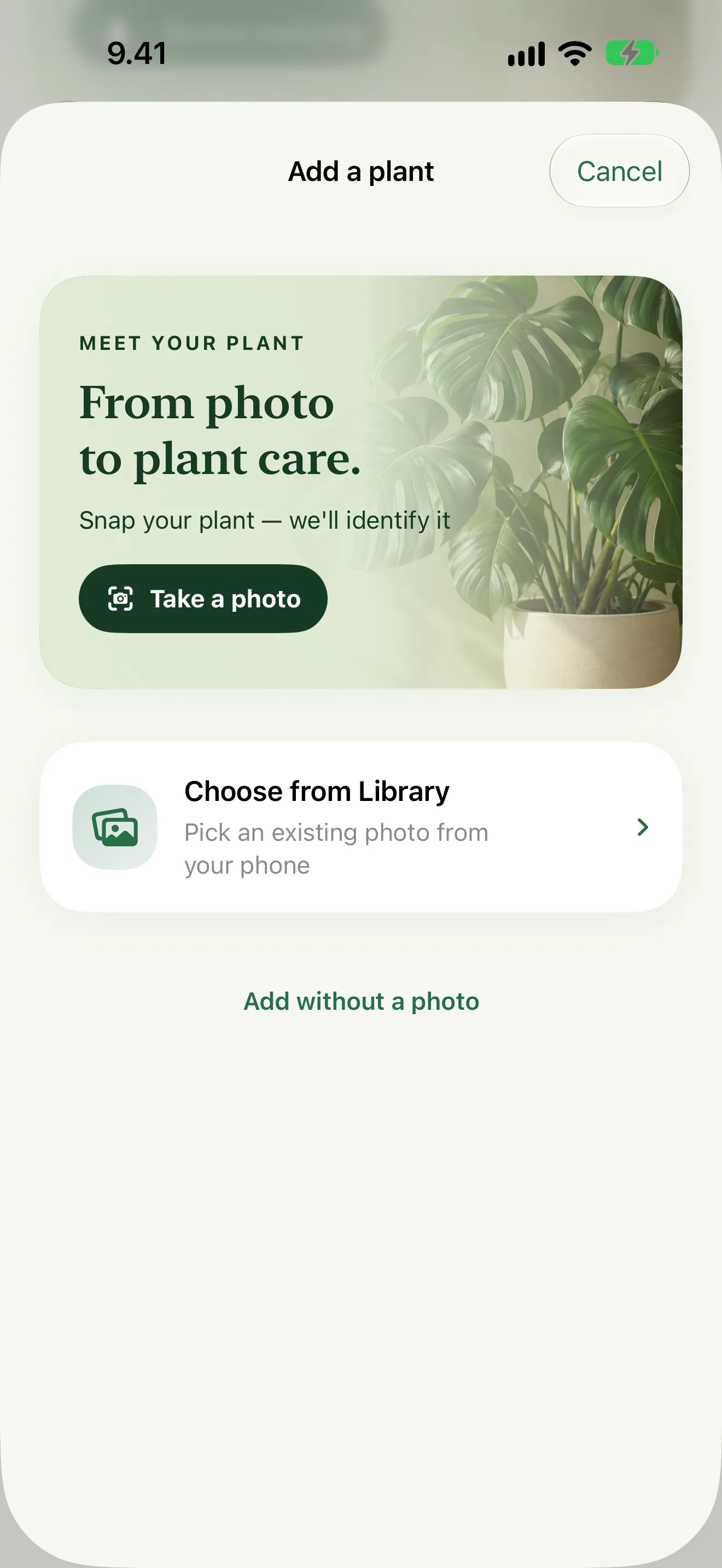
Take a photo or pick one from your library, and PlantCoach suggests what it is, on your iPhone.
More screens
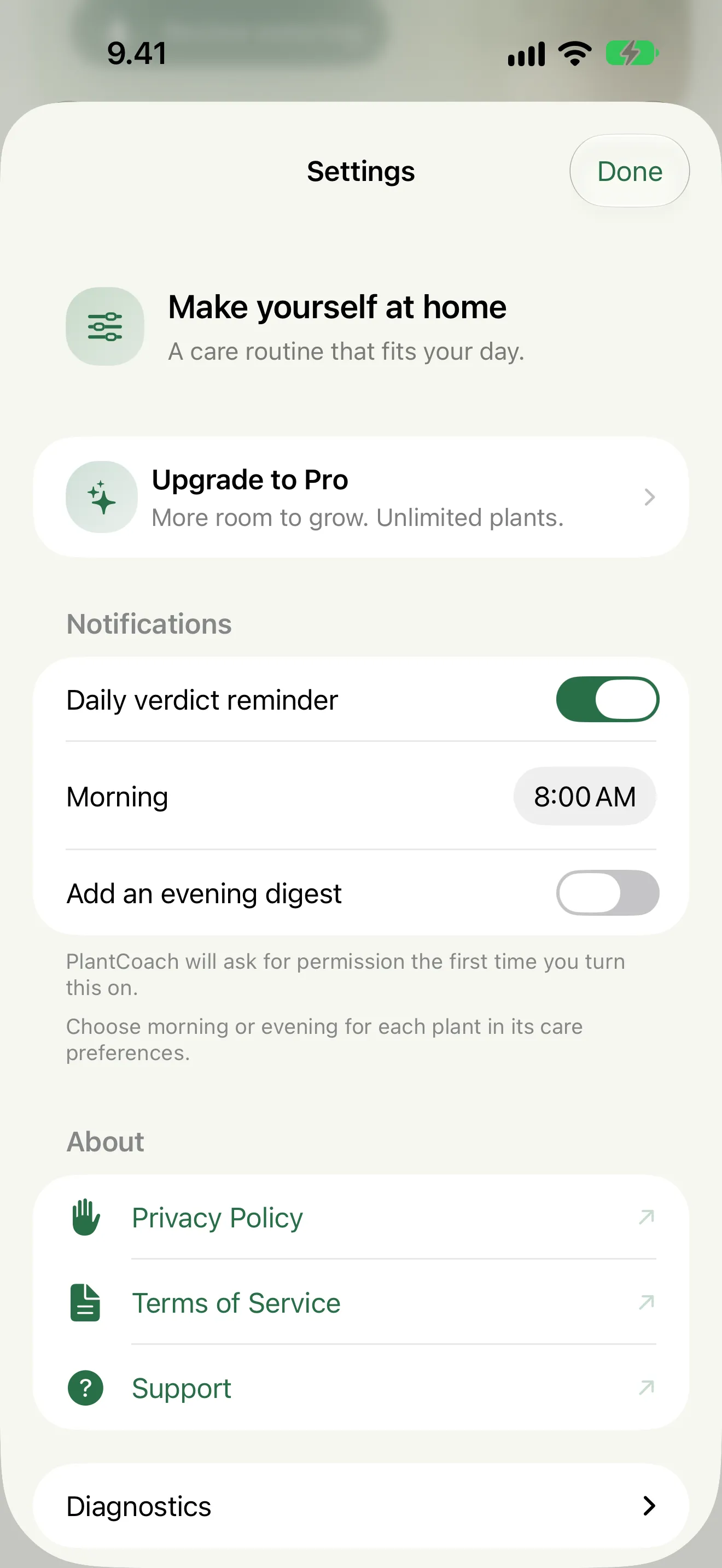
Features
PlantCoach is an iPhone plant care app for houseplants, herbs and succulents. Each morning it gives one answer per plant, water today or skip, from the plant's care guide, when you last watered it and, for outdoor plants, the chance of rain.
Take a photo and PlantCoach suggests what the plant is: a species on iPhones with iOS 27 and Apple Intelligence, a broader plant type on others. Or type what you call it, common or scientific name, and it finds the care guide. Identification runs on your iPhone.
Each morning PlantCoach checks every plant's care guide, where it lives, the days since you last watered it and, outdoors, the chance of rain, by the same fixed rules every time, and gives one answer: water today, or skip. On iPhones with Apple Intelligence, on-device AI explains the answer in plain words.
Tag a plant outdoor and PlantCoach checks today's local forecast through Apple WeatherKit, and skips a watering when rain is likely.
Rooms say where a plant lives: Living Room, Kitchen, Bedroom, Balcony. Import their names from HomeKit if you use it. Groups say how you think about a plant: “Succulents”, “Fussy ones”, “Mum’s”. A plant can be in as many groups as you like.
Any room or group with more than one plant due today gets a “Water all” button. It opens ticked for exactly the plants that need water and leaves the rest unticked, because watering a plant that didn’t ask for it is the mistake PlantCoach exists to prevent.
PlantCoach tracks fertilising alongside watering, on an interval for the type of plant or one you set, and pauses it through the dormant season. Feeding a resting plant does more harm than missing a feed.
One morning digest names the plants that need water today: “Living Room: 3 plants need water”. If your routine is split, add an evening digest and assign any room, group or plant to it. That is the ceiling: there is no per-plant reminder.
Monstera, pothos, snake plant, peace lily, basil, tomato, aloe vera and 54 more have their own watering interval; other plants get the guide for their type. Tap “Not today” on a reminder and PlantCoach learns to wait a little longer for that plant.
No account, no analytics, no tracking. Identification and the daily answer both run on your iPhone; plants, photos and history sync only through your own private iCloud. The only network calls are to Apple: WeatherKit, StoreKit and your iCloud.
Coming in PlantCoach 2.0
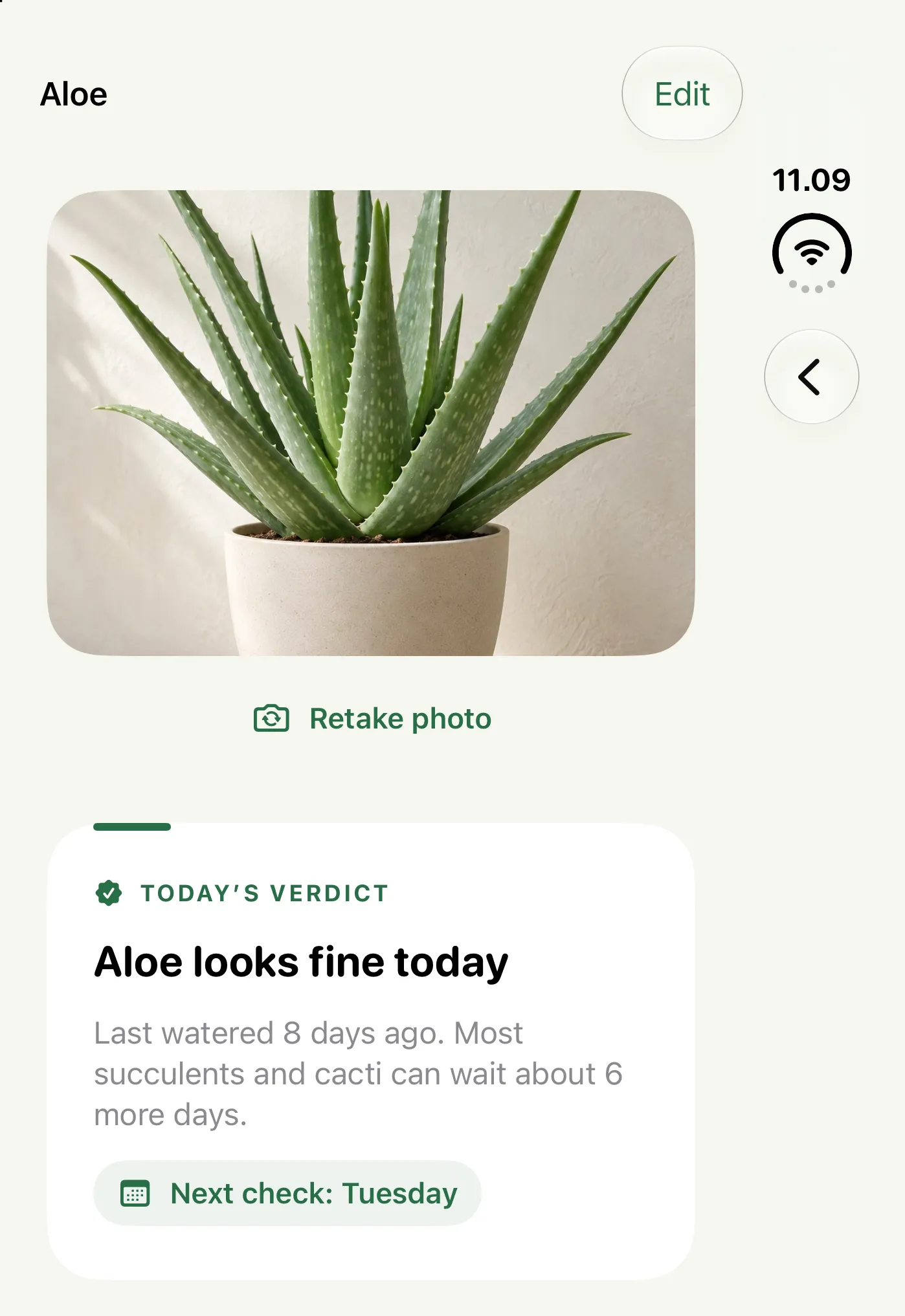
PlantCoach 2.0 adapts to iPhone Duo. Open the phone to see your plant library beside the selected plant's care, and close it to focus on that one plant. Everything else stays as it is on any iPhone with iOS 26.
Planned for release, subject to App Review. Not available yet.
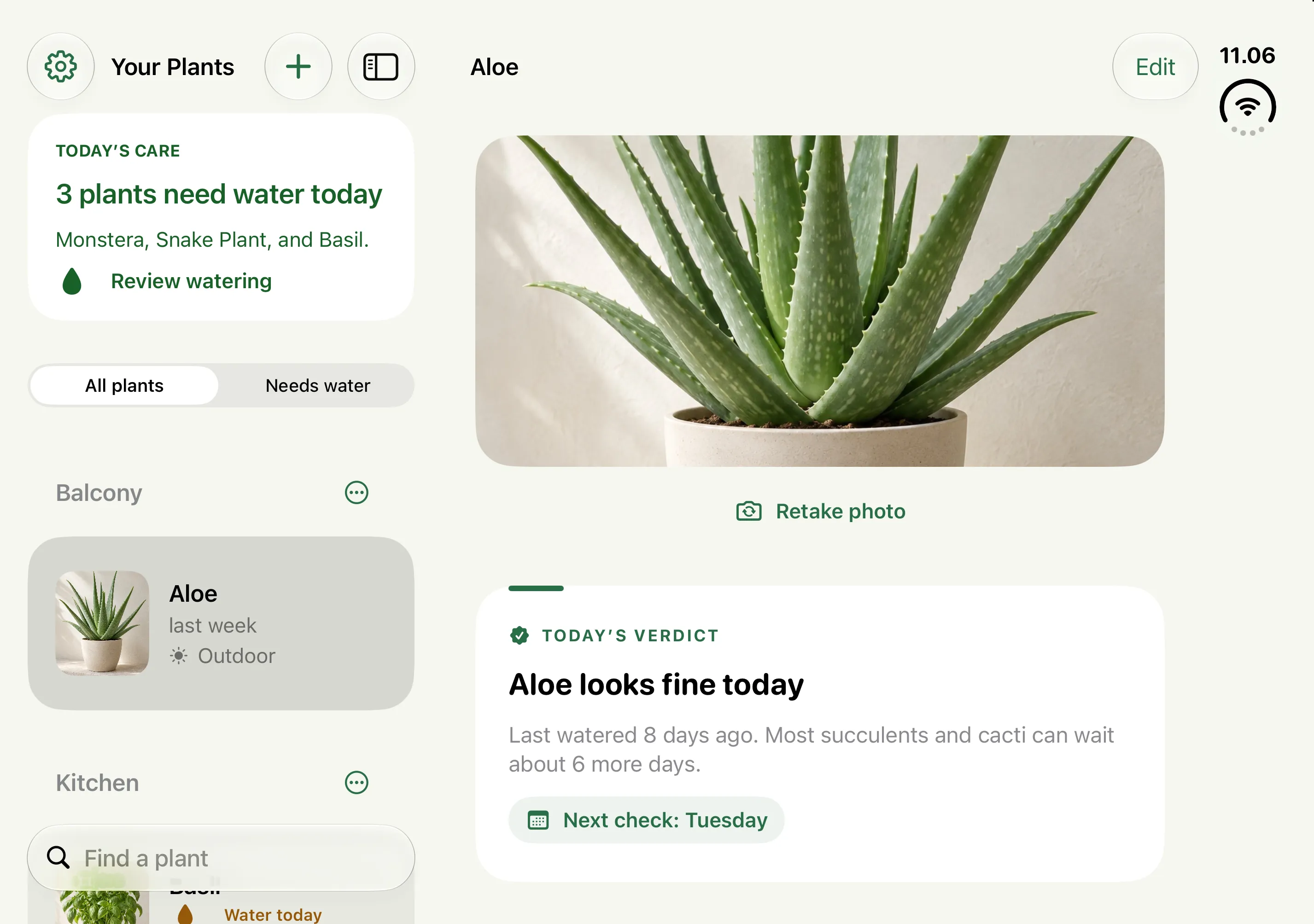
Opened, your plants sit on one side and the selected plant's answer for today, its history and its care on the other.
Requires iPhone Duo
Closed, the plant you were looking at fills the outer screen. Folding and unfolding keeps your place.
Requires iPhone Duo
Pricing
$0 up to 5 plants
$3.99 per month
$29.99 per year · 7-day trial
$59.99 one-time
Prices in US dollars. The App Store shows the price in your country, and whether you can get the 7-day trial on the yearly plan, before you buy.
Questions
PlantCoach is an iPhone plant care app for houseplants, herbs and succulents. Each morning it gives one answer per plant, water today or skip, from the plant's care guide, when you last watered it and, for outdoor plants, the chance of rain. On the App Store it's called “PlantCoach: AI Plant Care”.
By fixed rules: the plant's care guide, when you last watered it and, for outdoor plants, today's forecast, so the same inputs always give the same answer. On iPhones with Apple Intelligence, on-device AI explains the answer but doesn't make the call.
No. It estimates when a plant is due from its care guide and your watering history, and checks the forecast for outdoor plants. If the soil disagrees with the answer, trust the soil and log what you did; the next answer starts from there.
It suggests one. On iPhones with iOS 27 and Apple Intelligence it suggests the species; on other iPhones Apple's Vision suggests a broader plant type. You can always type the plant's name instead, common or scientific.
No. Watering answers, history, rooms, feeding and reminders all work without it. Apple Intelligence adds species suggestions from a photo and plain-language explanations of each answer.
No. You get one morning digest, plus an optional evening one that you can assign rooms, groups or plants to. There is no per-plant reminder.
Yes, for plants tagged outdoor: it checks the Apple WeatherKit forecast and skips a watering when rain is likely. Indoor plants deliberately ignore the forecast.
Yes, for up to five plants, with identification, daily answers, rooms, feeding and digests. PlantCoach Pro removes the five-plant limit: US$3.99 a month, US$29.99 a year with a 7-day free trial for eligible new subscribers, or US$59.99 once. Family Sharing is on, and the App Store shows your local price.
Identification runs on your iPhone. Your plants, photos and history sync through your own private iCloud so they appear on your other devices; Stationify never receives them, and there is no account.
Something else? The support page covers setup and troubleshooting, or write to [email protected].
Guides
Privacy
Identification and the daily answer run on your iPhone. There's no account and no analytics, and your plants, photos and history sync only through your own private iCloud. Stationify never receives them.
Read the privacy policy
Free on the App Store for your first five plants.
Questions? [email protected]