
01
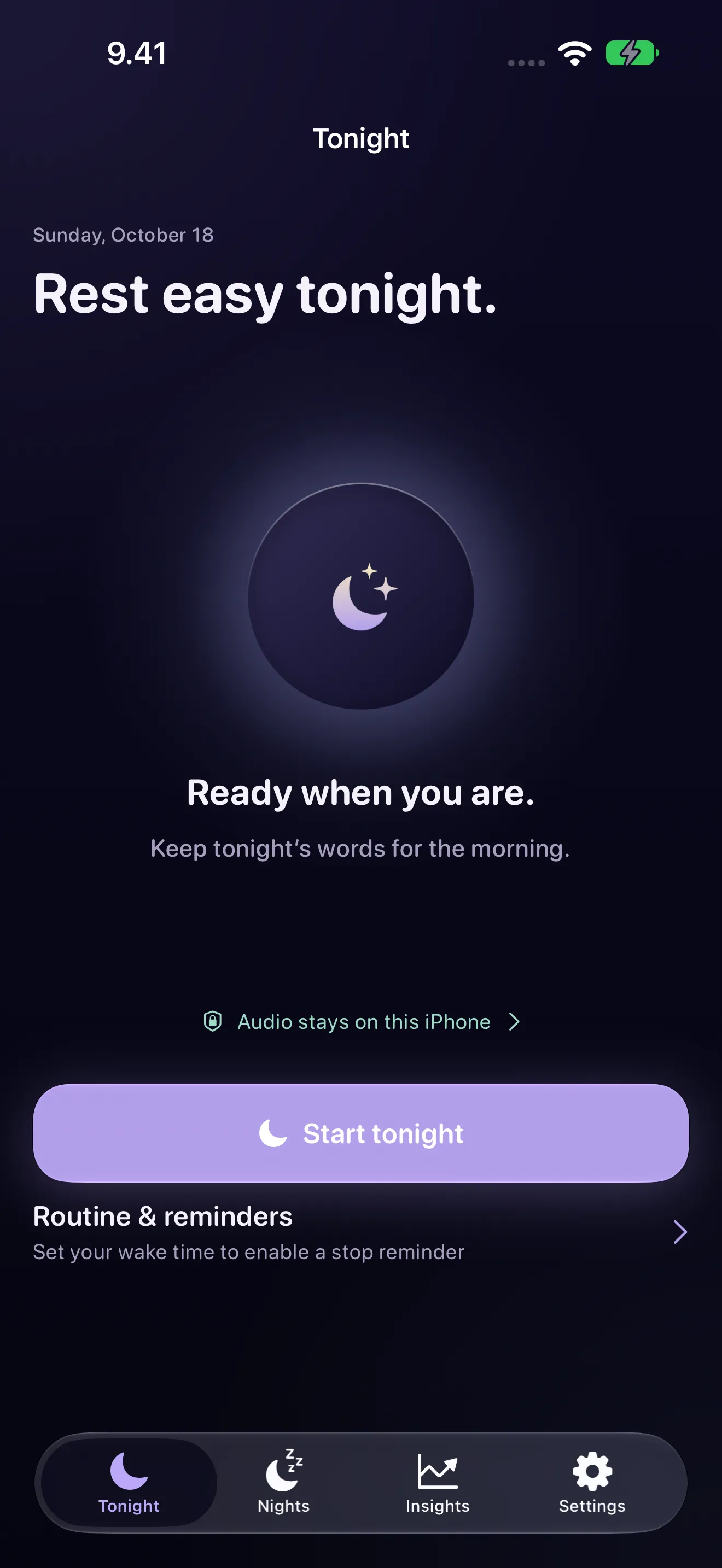
Rest easy tonight.
Put the phone beside the bed, tap Start tonight and go to sleep. The audio stays on your device.

Sleep Talk Recorder & Snore
iPhone · iPad · On-device
Sleep Talk Recorder & Snore records short sleep-talk clips, transcribes clear speech on your iPhone or iPad, and labels snoring, breathing and other night sounds. No account, no cloud processing, no analytics.
Free every night, including your last 7 nights. Premium: US$4.99 a month, US$29.99 a year, or US$44.99 once.
New in Sleep Talk 2.0
Sleep Talk 2.0 adds a dim bedside clock to iPhone Duo and a Stop button to your Apple Watch's Smart Stack, and your night now opens the moment you end it. Recording still runs on the iPhone or iPad beside your bed, and everything else works on any device with iOS 26 or iPadOS 26.
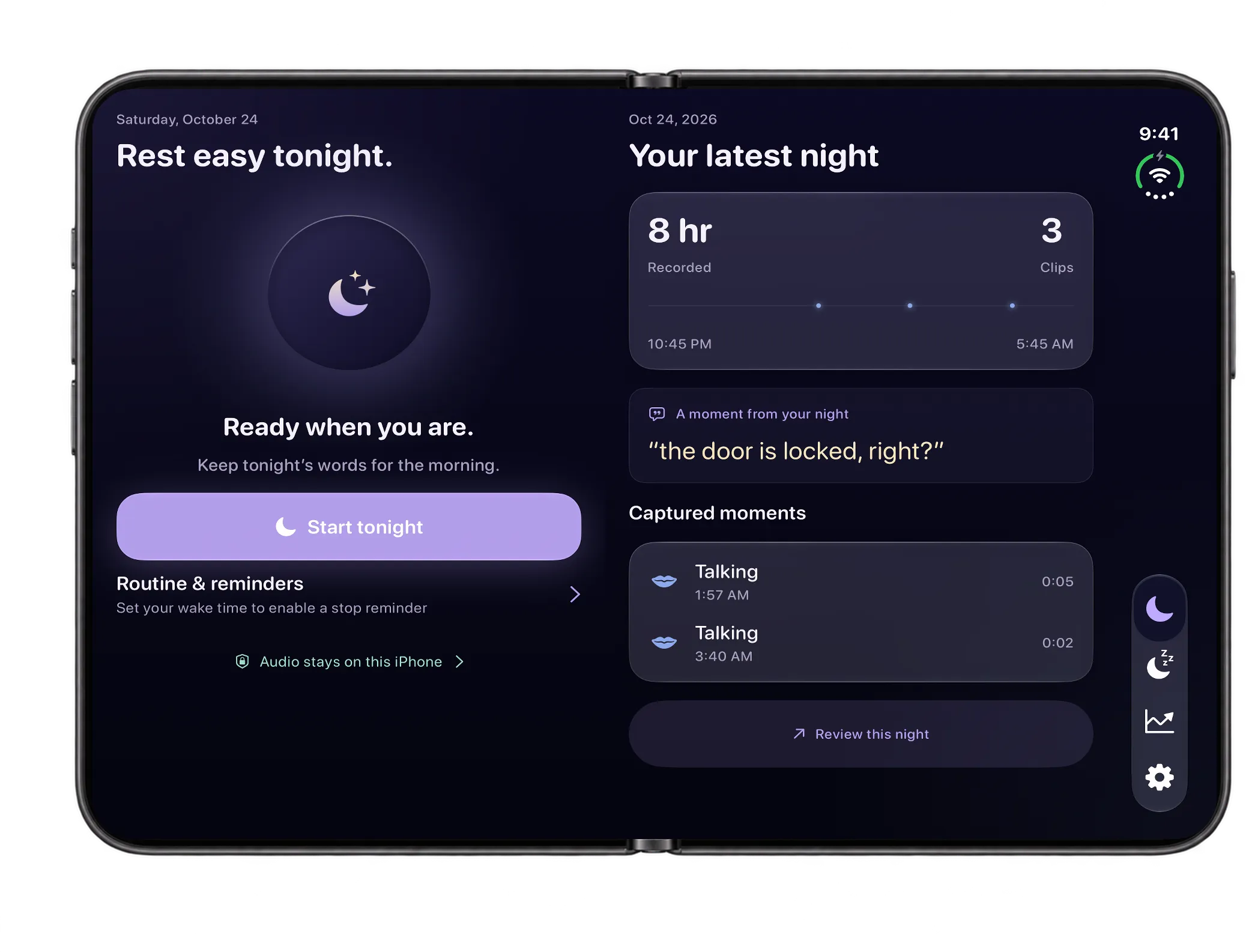
Opened, Tonight gives recording and review their own space: your controls and routine on one side, your latest night on the other. While you record, the second side shows the elapsed time and what's been captured.
Requires iPhone Duo (iOS 27.1)
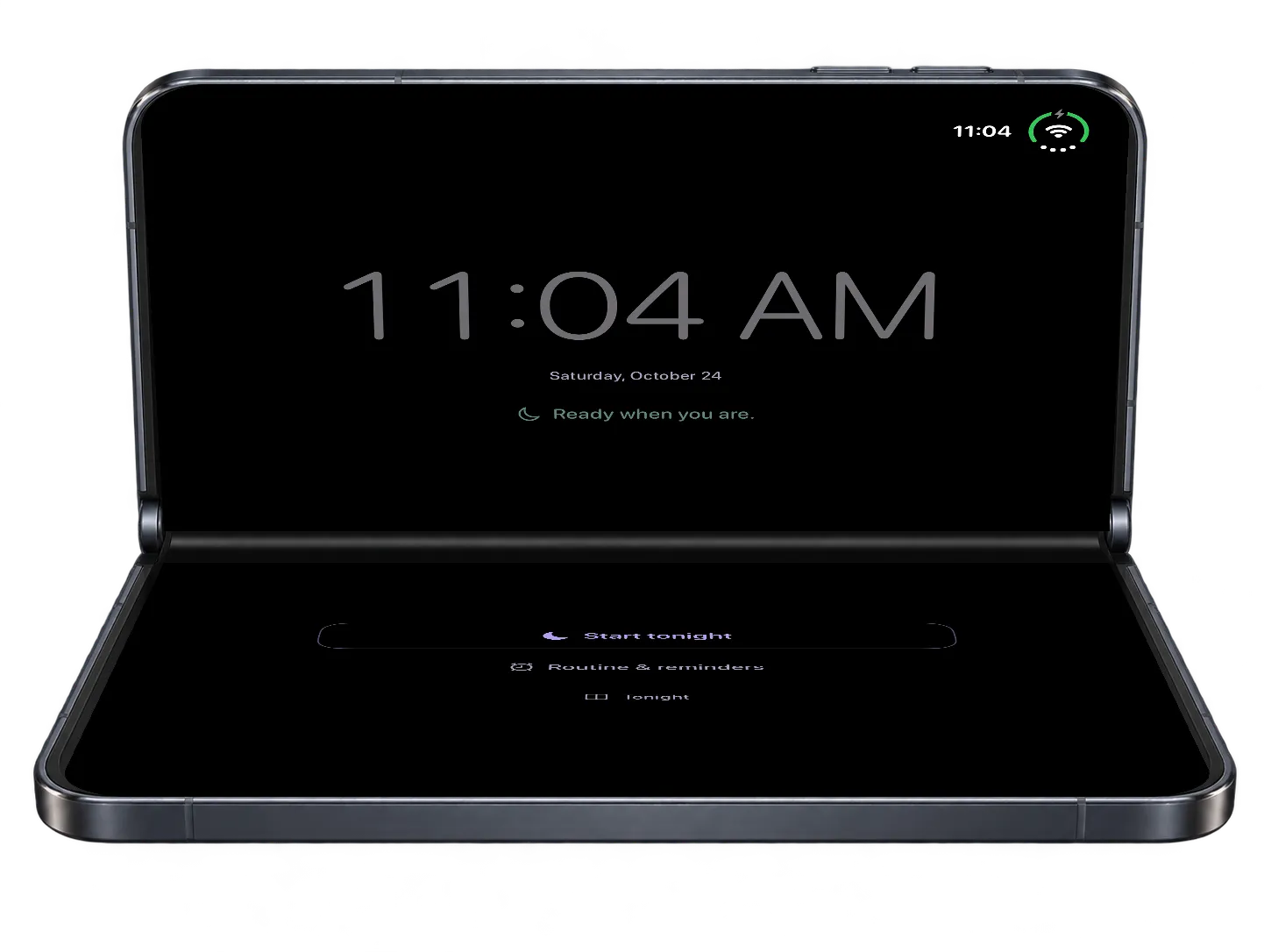
Fold iPhone Duo partway on the nightstand and the top half becomes a dim clock, with Start and End below the hinge. Browse the app and come back without stopping the recording, and keep the phone charging overnight.
Requires iPhone Duo (iOS 27.1)
While you record, the recording's Live Activity appears in your paired Apple Watch's Smart Stack, with a Stop button to end the night. The iPhone records the audio; the Watch is the remote.
Requires A paired Apple Watch
End the night in the app and it opens straight away. End it from the Lock Screen or your Watch, and the morning notification, when it's on, takes you there after every night, including quiet and snoring-only ones.
Inside the app
Put the phone beside the bed, tap Start tonight and go to sleep. The audio stays on your device.
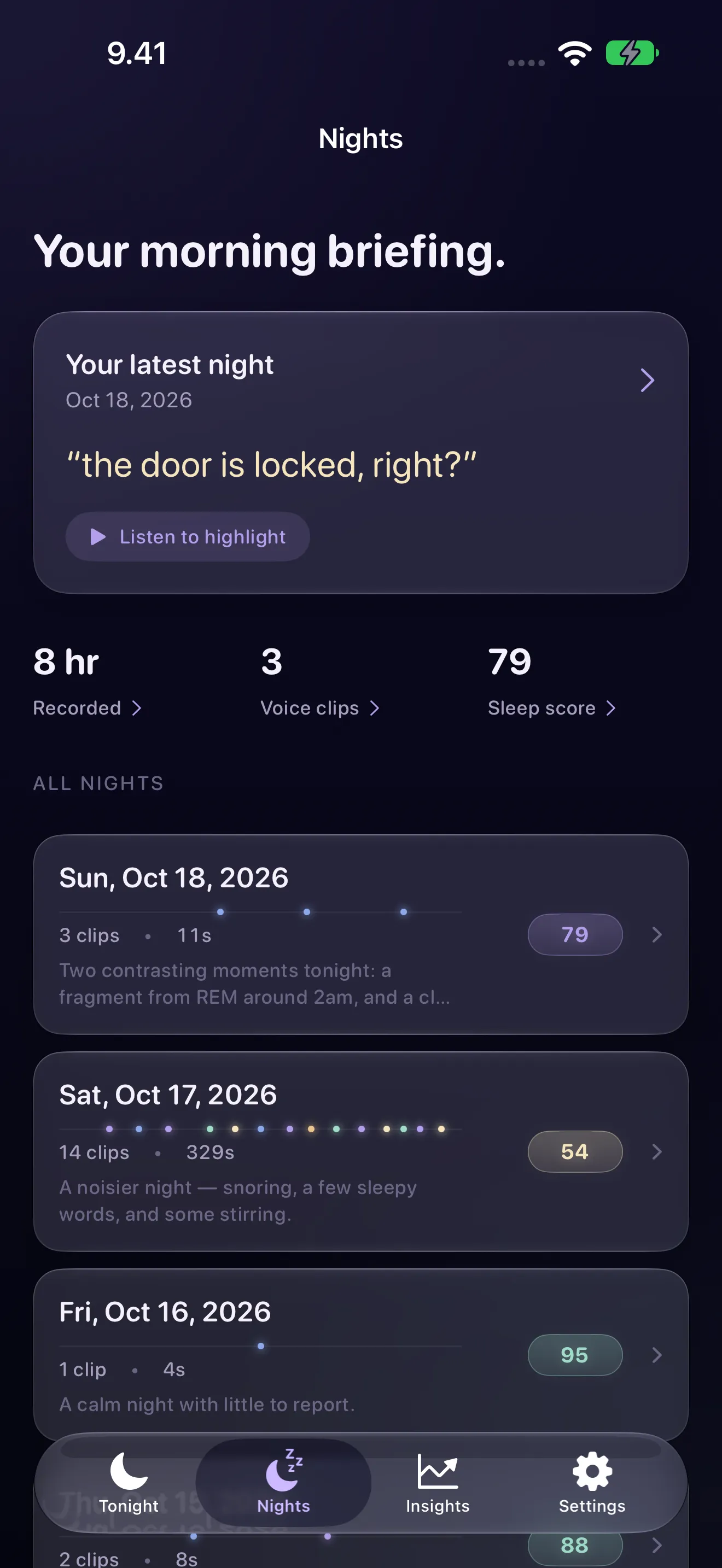
The words caught in your latest night first, then every night in one list, recorded or from Apple Health.
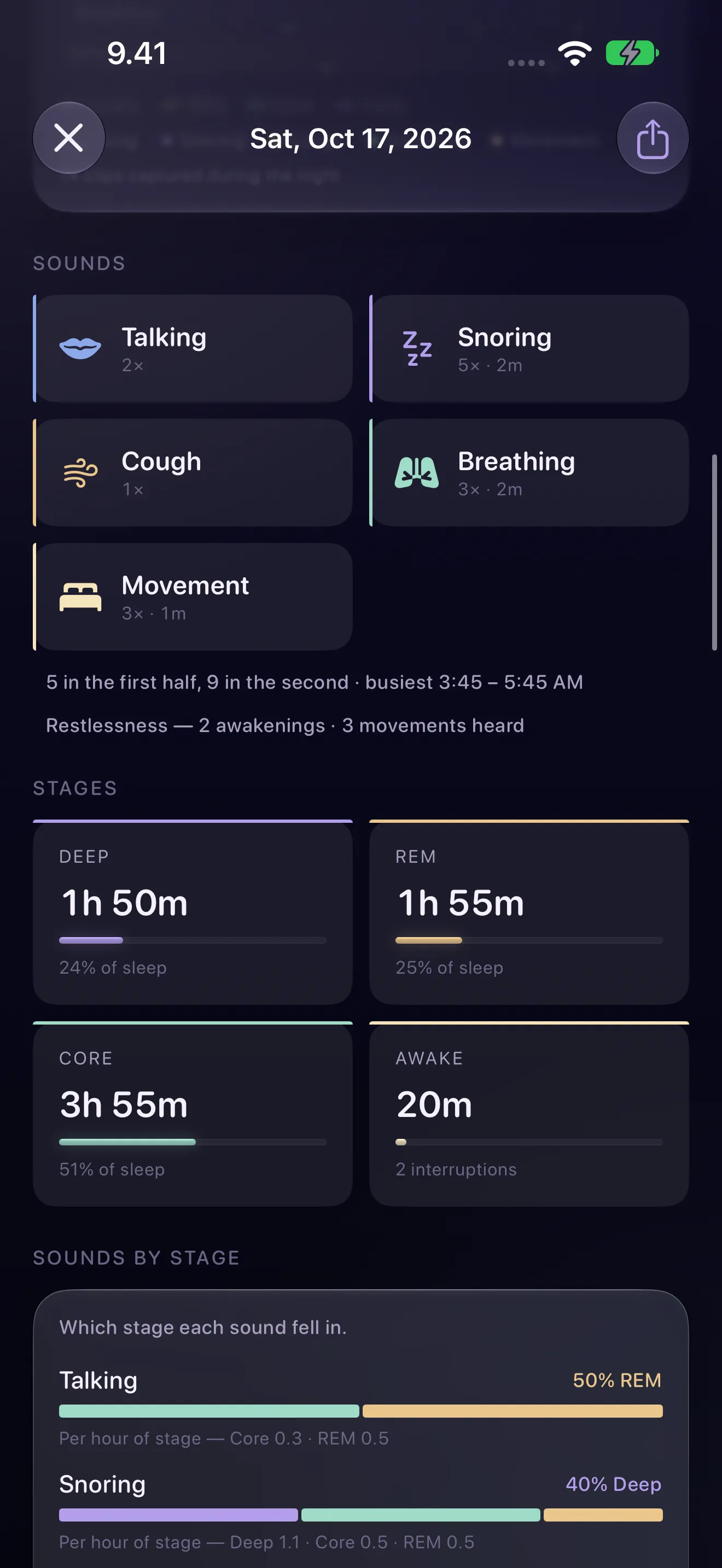
Talking, snoring, coughs, breathing and movement, and the sleep stage each one fell in.
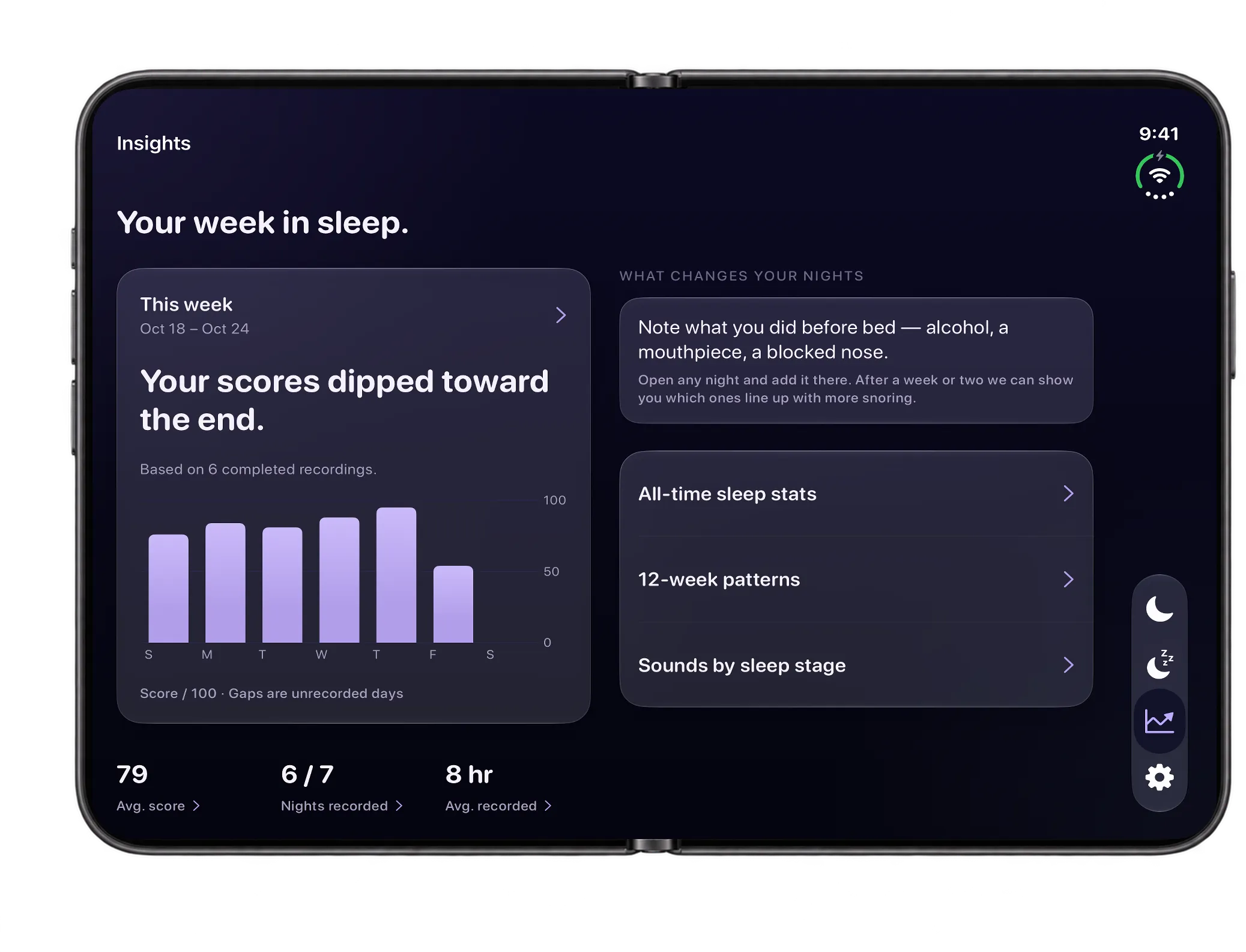
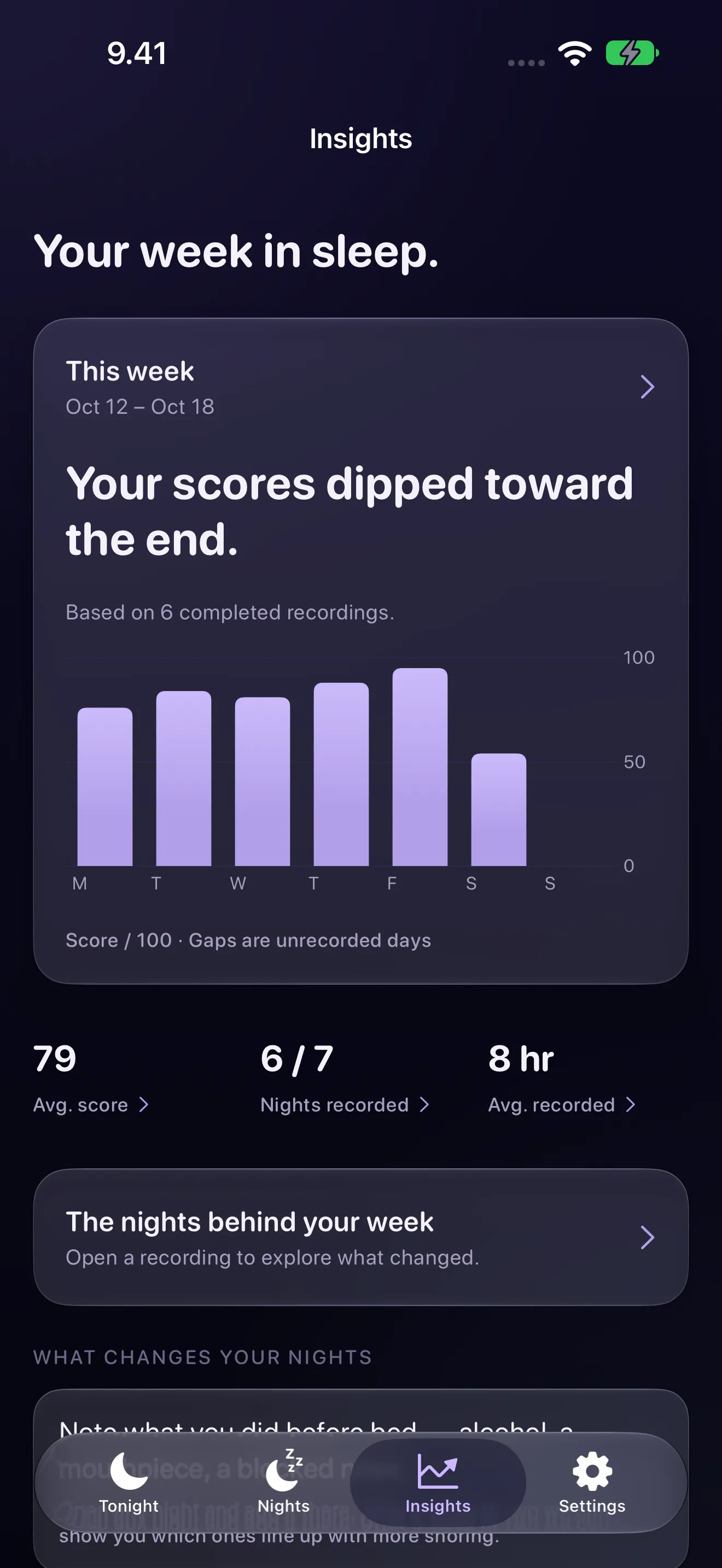
Opened, your week in sleep sits beside what changes your nights. Folded partway on the nightstand, the top half becomes a dim clock with Start and End below the hinge.
More screens
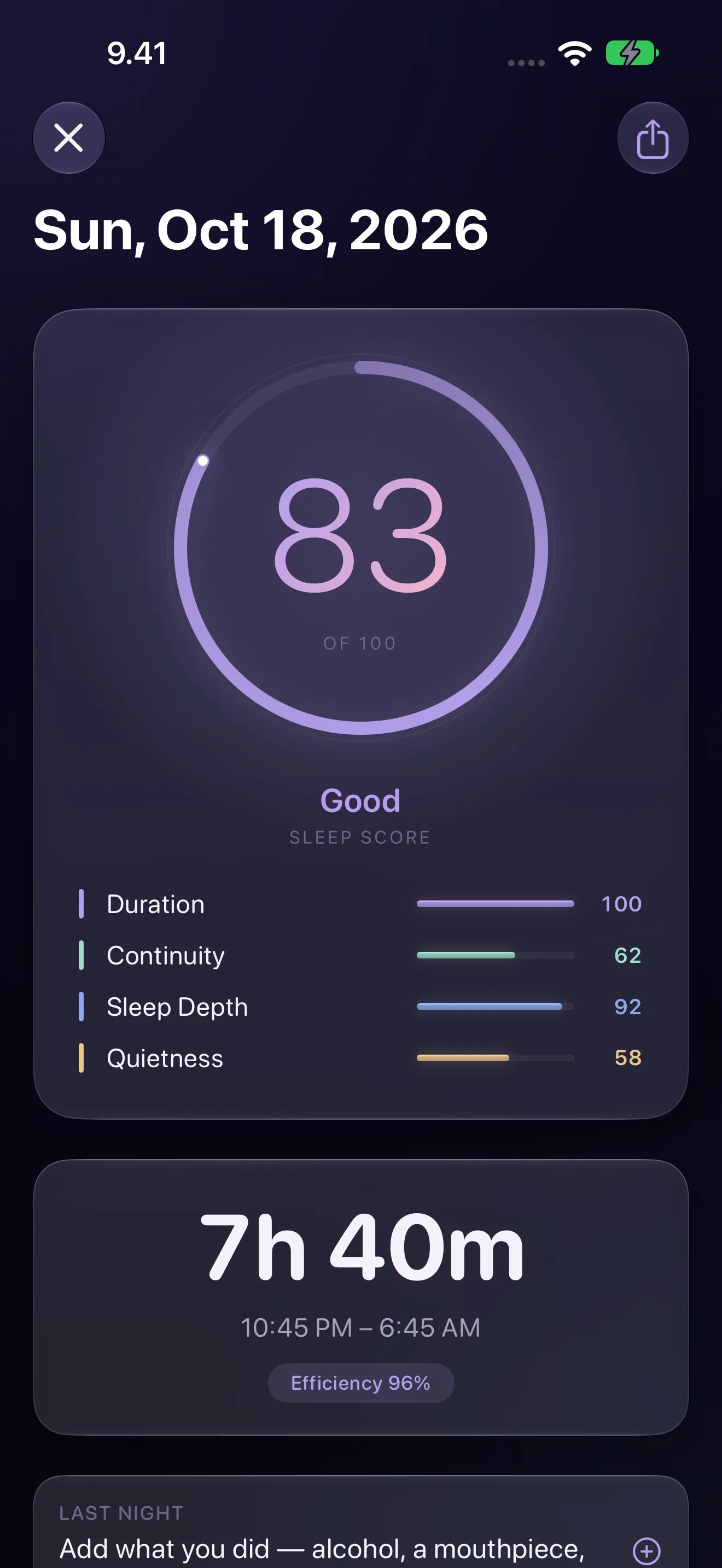
Features
Sleep Talk Recorder & Snore is an iPhone and iPad app that records short clips of sleep talk and other night sounds, transcribes clear speech on your device when you end the night, and labels snoring, breathing, coughs and gasps, with optional Apple Health sleep stages and Apple Watch extras.
Sleep Talk listens all night but records only short clips, up to 15 seconds, when something is loud enough — talking, and often a snore or a cough — and skips the silence. Lock the phone, put it face-down and go to sleep.
On-device sound classification labels each clip — talking, snoring, breathing, coughs, gasps and movement — and counts quieter sounds through the night as events on your timeline, without saving audio. No snore score, no judgment.
When you end the night, speech clips are transcribed on your iPhone or iPad with Apple's speech recognition. Clear speech becomes text; quiet or mumbled speech may not, and the audio is there to play back.
Off until you turn it on. On devices with Apple Intelligence, in a supported language, an on-device model suggests a gentle interpretation of a fragment. What might that 3 a.m. sentence have meant?
Your night in order: clips with playback and timestamps, transcripts where the speech was clear, and the sounds heard in between. Save favourites, share a clip's audio or transcript, or delete a clip when the phone heard a passing motorcycle instead of you.
With Apple Health access, a hypnogram places every captured sound on the stage it happened in — REM, Core or Deep — as a dot in the sound's own colour. Nights with Health sleep data appear even when you didn't record.
Your week at a glance and, with Premium, 12-week patterns: when you talk and snore, which sleep stage it falls in, and how nights with a routine note compare with nights without.
With an Apple Watch, see breathing disturbances beside the sounds, and nights inside a sleep apnea notification gathered for a doctor. Premium adds heart-rate responses around sounds, an optional silent snore nudge and a summary to share with your doctor.
No account. No cloud. No analytics. Audio and transcripts stay on your device; delete a clip, a night or everything whenever you like. Recording stops when you end the night.
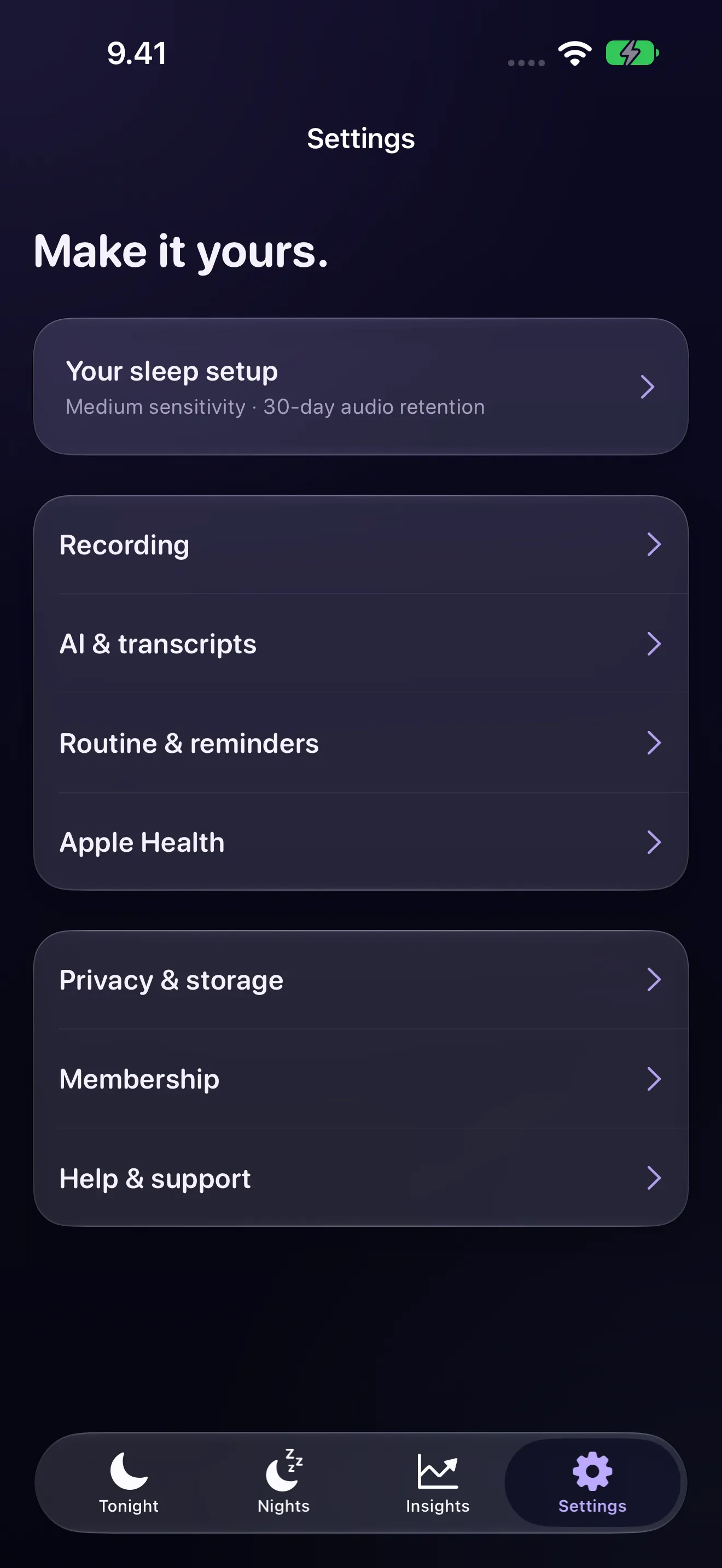
An optional bedtime reminder so you don't forget to start, and a morning notification when your night is ready. Set how sensitive detection is, from quiet mumblers to loud sleep-talkers, and with Premium, how long audio and transcripts are kept.
Pricing
$0 no time limit
$4.99 per month
$29.99 per year
$44.99 one-time
Prices in US dollars. The App Store shows the price in your country before you buy. Premium opens older nights and keeps audio and transcripts longer than 7 days.
Questions
It records short clips of what happens at night, transcribes clear speech on your device, and labels the snoring, coughs, breathing and gasps you never hear. With sleep data from Apple Health, every sound is placed on your sleep stages.
It listens all night but saves only short clips, up to 15 seconds, when a sound is loud enough — talking, and often snoring or coughs — so the morning review takes minutes, not hours. Quieter snoring and other sounds are counted through the night without saving audio.
It transcribes clear speech in recorded clips when you end the night. Sleep talking can be quiet, mumbled or not really words, so some clips have partial or empty transcripts; the audio is there to play back.
Recorded clips have audio playback. Quieter sounds detected between clips appear on the timeline as events without audio.
Yes. Apple's on-device sound classifier labels snoring, and the app shows how many minutes it heard and in which sleep stage. Add routine notes such as alcohol or sleeping on your side, and once there are five nights with a note and five without, it compares your snoring across them. That shows an association, not a cause.
No. It is not a medical device and doesn't diagnose sleep apnea. If your Apple Watch sends a sleep apnea notification, the app collects the recorded nights in that period with the snoring and gasps heard — something to show a doctor.
No. Recording, transcripts and sound labels work on the iPhone or iPad alone. Sleep stages appear when Apple Health has sleep data, from an Apple Watch or another tracker. With an Apple Watch you also see breathing disturbances beside the sounds; Premium adds heart-rate responses around sounds and an optional snore nudge.
Yes. Sleep Talk runs on iPhone and iPad; keep the device beside the bed and charging overnight.
Yes. Sleep Talk is built specifically for iPhone Duo. Opened, the Tonight view keeps recording controls on one side and your latest night on the other, and the list of nights gets its full column. Folded partway on the nightstand, the top half becomes a dim clock with Start and End below the hinge, and you can browse the app and come back without stopping the recording. The Duo layouts need iOS 27.1.
No. Audio, transcripts and scores stay on your device, with no account, no cloud and no analytics. Nothing leaves it unless you share a clip yourself.
Audio and transcripts have separate settings. Free keeps both for 7 days. With Premium you choose: clip audio for 7, 14, 30, 60 or 90 days (30 by default), and transcripts for the same periods or forever (the default). When a transcript expires, its dream interpretation and the night's summary go with it; the night and its sound timeline stay until you delete them.
Recording, transcription, sound detection and your last seven nights are free with no time limit. Premium adds unlimited history, 12-week patterns, sounds by sleep stage and the Apple Watch extras: US$4.99 a month, US$29.99 a year, or US$44.99 once. The App Store shows your local price.
A dim bedside clock on iPhone Duo, with Start and End below the hinge; a Stop button in your Apple Watch's Smart Stack while you record; and your night opens as soon as you end it, with the morning notification after every night, including quiet and snoring-only ones. Version 2.0.1 gives the list of nights its full column on an opened iPhone Duo.
Yes. While you record, use Stop in the recording's Live Activity in your paired Watch's Smart Stack. The iPhone records the audio; the Watch is a control for that night.
Only for the iPhone Duo features. The recorder itself works on iPhone with iOS 26 or later and iPad with iPadOS 26 or later.
Something else? The support page covers setup and troubleshooting, or write to [email protected].
Guides
Privacy
Recording, transcription and sound detection run on your iPhone or iPad. No cloud uploads, no account, no analytics, and Premium is bought through Apple, so we never see your payment details.
Read the privacy policy
Free to download and free every night. Premium opens the long view, and every recording stays on your device.
Questions? [email protected]